
D2C Subscription Retention Desk
A brand's own subscribers as cohorts, churn reasons and failed renewals, with a suggested save for each member at risk.
These images are illustrations of the concept, not screenshots of the actual product.
Overview
This concept illustrates a retention desk for a direct-to-consumer brand that runs its own replenishment subscription. It turns Subscriber Bot's analytics around: instead of helping a person manage the subscriptions they hold, the design serves the company that sells one, computing its members, cohorts and churn from renewal orders. The sample program is a basics club whose plans cover socks, tees and a full basics set, each on an 8- or 12-week cadence.
In retail and e-commerce, subscription churn shows up late and for mixed reasons. Some members leave because product piles up faster than they use it, some because of a price change, and many simply because a card was declined at renewal. Answering all of them with the same discount wastes margin and irritates people who have already decided to go. The concept separates the reasons and suggests a different save for each member.
The Retention page opens with tiles for active members, cancellations in the last 30 days, failed renewals and skips this cycle, with failed renewals highlighted. A Retention by start month heatmap follows each monthly cohort across its first five renewal cycles, shaded cell by cell so drop-off can be compared between cohorts. A Churn reasons panel ranks the last 30 days of cancellations, with too much product, price change and declined cards ahead of quality and other. The Predicted to leave table lists sample members with their plan, cadence, the signal that flagged them, a suggested save and a status. Signals such as skipping twice, a declined card, opening the cancel page or a price change map to saves such as a longer cadence, a card-update reminder, a pause or holding the price for one cycle. A member who asked to cancel gets no offer and is closed, following the design rule that members who asked to leave are never targeted. Saves wait for approval, with Approve selected and Export segment actions above the table.
Two other Burdenoff products appear. A badge states that renewal orders come from Kadaikodi and shows when they last synced: renewal orders and payment results are designed to arrive from Kadaikodi's recurring orders. One member's status reads sent to HeadshotMarketing, showing the intended hand-off in which approved segments pass to HeadshotMarketing journeys for the outreach itself.
Within Subscriber Bot, the desk sits under Insights and brings the product's cohort, health and renewal thinking to the provider side, keeping the rule that a person approves an action before anything reaches a customer.
What this concept shows
- Tiles for active members, cancellations in 30 days, failed renewals and skips this cycle
- A retention heatmap by start month across the first five renewal cycles
- A churn reasons chart ranking why members left in the last 30 days
- A predicted-to-leave table with member, plan, cadence, signal, suggested save and status
- Suggested saves matched to the signal, such as a longer cadence, a pause, a card-update reminder or a held price
- Members who asked to cancel receive no offer and are closed
- Approve selected and Export segment actions, with saves held until approved
- Renewal orders synced from Kadaikodi and approved saves handed to HeadshotMarketing
How it works
- Open the retention view under Insights and read active members, cancellations, failed renewals and skips.
- Compare start-month cohorts in the retention heatmap to see where members drop off.
- Check the churn reasons panel for why members left in the last 30 days.
- Review the predicted-to-leave list, with each member's signal and suggested save.
- Approve the selected saves or export the segment.
- Let approved segments pass to a HeadshotMarketing journey and track each member's status.
Who it's for
- Retention and lifecycle marketers at D2C brands
- Subscription program managers
- E-commerce operations leads handling failed renewals
- Customer experience teams
- Founders of subscription commerce businesses
Illustrations
1 illustration of this concept. Select one to view it full size.
Retention Desk With Cohorts, Churn Reasons and Suggested Saves
This illustration shows a desktop Retention page for a sample basics club, subtitled as the brand's own subscribers computed from renewal orders, with Insights selected in the left navigation and a badge noting that renewal orders sync from Kadaikodi. Four tiles count active members, cancellations in 30 days, failed renewals and skips this cycle, with failed renewals highlighted. A Retention by start month heatmap covers five start months across five renewal cycles, and a Churn reasons panel shows horizontal bars for too much product, price change, card declined, quality and other. The Predicted to leave table lists five sample members with plan, cadence, signal, suggested save and status. Statuses include sent to HeadshotMarketing, queued, needs approval and closed, the last for a member who asked to cancel and was given no offer. Approve selected and Export segment buttons sit above the table. All members and figures are sample data.
Topics
- D2C subscription retention
- subscription box churn
- replenishment subscription analytics
- cohort retention heatmap
- failed renewal recovery
- churn reasons analysis
- subscription pause offer
- skip and cadence change
- predicted churn list
- declined card recovery
Related concepts
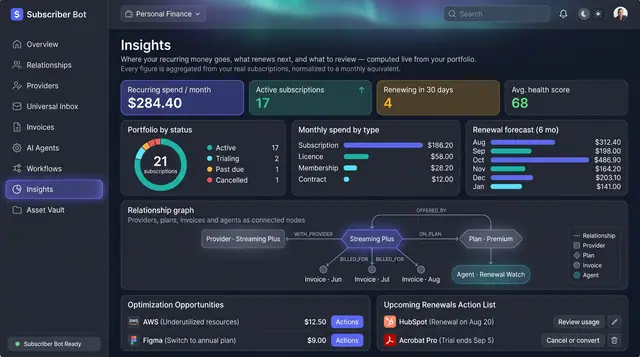
Portfolio Insights and Renewal Forecast
Recurring spend, portfolio health and the next six months of renewals, computed from your own subscriptions rather than typed in.
2 illustrations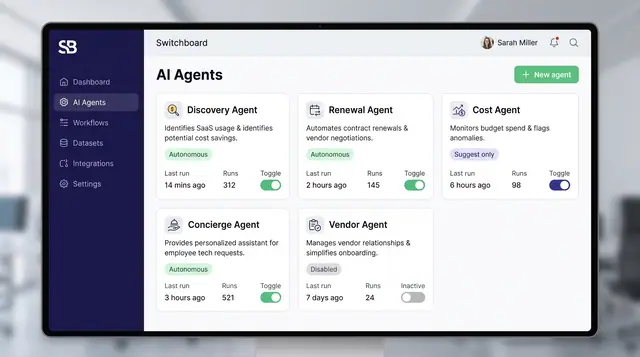
Governed AI Agents and Autonomy Controls
Specialized agents watch your portfolio and propose actions, while posture settings, policies and interlocks decide what they may do alone.
4 illustrations
Part of an industry solution
This concept appears in a cross-product solution on burdenoff.com — see how it works alongside other Burdenoff products to solve a problem in that industry.